Every day a DBA (or a developer), has to reply to questions like “who changed that table?” or “who tried to login on our production database?”. These answers are not so simple to find out, actually. LepideAuditor for SQL Server is a tool that can helps us to audit operations on a SQL Server instance and to monitor both the server and the database level.
Tag: SQL Server Management Studio
Engage IT Services SQL Todo Explorer – our *FIRST RELEASE*!
In previous posts, I’ve spent a lot of words speaking about third party add-in for SQL Server Management Studio.
Finally we have developed a new extension! We’re proud to present….
Continue reading “Engage IT Services SQL Todo Explorer – our *FIRST RELEASE*!”
Create C# enum template with SSMS Boost
I’ve spoken about SSMS Boost in this post and now I’m going to apply one of its feature in order to improve the productivity of my team. Speaking about the database side, a table that contains static data can be used as a foreign key referenced table. In my experience those kind of tables are often mapped to enums in our application layer. Creating that enum can be a tedious operation and sometimes it can be very uncomfortable. With SSMS Boost we can enhance our development experience. Continue reading “Create C# enum template with SSMS Boost”
Suggestion for SQL Prompt and SQL Test (Red-Gate)
Recently I moved my job on ALM topics, focusing on Source Control Management and Testing, in order to reach Continuous Integration on database development. I evaluated some tools and Red-Gate was my first choice. In this post I’d like to share the suggestions I made on two of the most important tool I’m using atm:
- SQL Prompt (productivity tool for code formatting, intellisense, code inspection, etc.)
suggestions: TODO highlights. I’d like to improve readability of TODO and HACK comments, like in the following picture:
- SQL Test (addon for SQL Server Management Studio, unit testing utility)
suggestions:
“Expand/Collapse all” for avoiding clicks when you have lots of test procedures
Community Days 2014 – Milan

Italian Community Days 2014 are coming!
The event is totally free!
You fill find:
I’ll present my “database under source control” session. My “mission” is to bring ALM knowledge on database side. I think that this topic is often underestimated.
here is the list of cummunities that will follow the event:
Click here for more info.
So, spread the word! hashtag: #CDays14
What are you waiting for? Subscribe now!
Stay Tuned!
SQL Saturday in Ancona and Verona – English slide decks available for download
You can download the english version of my sessions at SQL Saturdays (on SlideShare):
SQL Saturday 257 in Verona: “Put databases under source control”
SQL Saturday 264 in Ancona: “Put databases in ALM backgrounds” (a special thanks to Gian Maria Ricci)
Stay Tuned! 🙂
SQL Saturday in Verona – Slide deck of “Put databases under source control” available for download
“Put databases under source control” slide deck is available here. The SQL Saturday – Verona event was a great success. Now we’re waiting for SQL Saturday in Ancona on 13th December. See you there!
SSMS Boost another cool addin for SQL Server Management Studio
During my SQL Devlife I tried lots of SQL Server management studio add-ins. Some days ago I tried SSMSBoost. Since I’ve already spoken about SSMSToolsPack and SQLPrompt, I’d like to focus this post on the capabilities that SSMSBoost adds to Sql Server Management Studio. I’ll speak about some of the available features, in the following order:
- UI/User experience capabilities
- Connections management
- Searches
- Extended menu options
- Grid commands
Continue reading “SSMS Boost another cool addin for SQL Server Management Studio”
Share t-sql snippets to the team with SQL Prompt
Red-Gate SQL Prompt is a plugin for SQL Server Management Studio that makes the developers life easier when writing t-sql. It provides improved intellisense, indent and coding styles, and also a snippet manager feature that allows the developer to create a set of useful shortcuts. Those autocomplete items can be really useful for a team, let’s see how we can share them in a team.
Continue reading “Share t-sql snippets to the team with SQL Prompt”
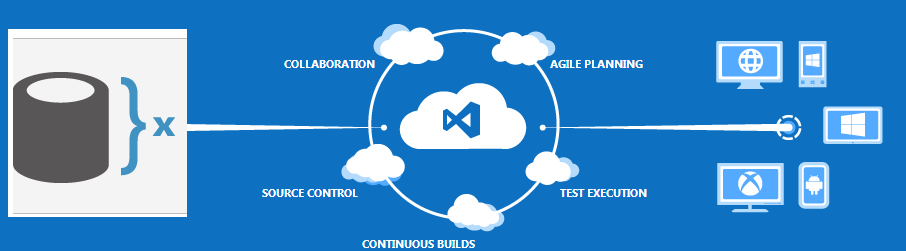
SQL Server under source control with Team Foundation Services and Red-Gate Source Control
During the last few years I’ve been involved in database source control management and release plans tasks. These are important and (mostly) underestimated topics.
You can implement source control management in many different ways
- Visual Studio and TFS/SVN/GIT/..
- Direct integration with source control tools and filesystem
- Sql Server Management Studio integrated with TFS/SVN/GIT/..
- Database backups
- misc..
IMHO, putting databases under source control management should be mandatory for every team.
In this post, I will try to explain how SQL Server Management Studio can cooperate with one of the third party tools that I’m currently using. This is the scenario:
- Red-Gate SQL Source Control as a source control tool (SSMS plugin)
- Team Foundation Service as a source control server (cloud TFS service)
- A simple SQL Server database
- SQL Server Management Studio as a database management IDE