
“Put databases under source control” slide deck is available here. The SQL Saturday – Verona event was a great success. Now we’re waiting for SQL Saturday in Ancona on 13th December. See you there!
Stay tuned 🙂
“Put databases under source control” slide deck is available here. The SQL Saturday – Verona event was a great success. Now we’re waiting for SQL Saturday in Ancona on 13th December. See you there!
Directly from the Microsoft Release Service blog, here is the list of latest updates for SQL Server 2008 R2 SP2 and 2012 RTM:
SQL Server 2008 R2 SP2
Cumulative Update #9 for SQL Server 2008 R2 SP2
SQL Server 2012 RTM
Cumulative Update #10 for SQL Server 2012 RTM
Stay Tuned! 🙂
This year I will speak at PASS SQL Saturday in Verona with a session based on database and source control management.


Some days ago, I received a tedious error while executing a pipeline of nested stored procedures, which contains INSERT-EXEC statements. The issue is based on a SQL Server limitation, by design since SQL Server 2005. Actually, the INSERT-EXEC was supported in SQL Server 2000, but I’ve never tried that behavior on the older version. Let’s see the behavior. Continue reading “Avoid nested INSERT EXEC (where possible)”
Directly from the Microsoft Release Service blog, here is the list of latest updates for SQL Server 2008 SP3 and 2012 SP1:
SQL Server 2008 SP3
Cumulative Update #13 for SQL Server 2008 SP3
SQL Server 2012 SP1
Cumulative Update #6 for SQL Server 2012 SP1
Stay Tuned! 🙂
Directly from the Microsoft Release Service blog, here is the list of latest updates for SQL Server 2008 R2 and 2012 RTM:
SQL Server 2008 R2
Cumulative Update #8 for SQL Server 2008 R2 SP2
SQL Server 2012 RTM
Cumulative Update #9 for SQL Server 2012 RTM
Stay Tuned! 🙂
I want to share a “trick” on how to mark SQL Server user objects as deprecated. But first, why we need to mark an object as deprecated?
Continue reading “How to mark SQL Server objects as deprecated with extended properties”
Directly from the Microsoft Release Service blog, here is the list of latest updates for SQL Server 2008 and 2012:
SQL Server 2008
Cumulative Update #12 for SQL Server 2008 SP3
SQL Server 2012
Cumulative Update #5 for SQL Server 2012 SP1
Stay Tuned! 🙂

During my SQL Devlife I tried lots of SQL Server management studio add-ins. Some days ago I tried SSMSBoost. Since I’ve already spoken about SSMSToolsPack and SQLPrompt, I’d like to focus this post on the capabilities that SSMSBoost adds to Sql Server Management Studio. I’ll speak about some of the available features, in the following order:
Continue reading “SSMS Boost another cool addin for SQL Server Management Studio”
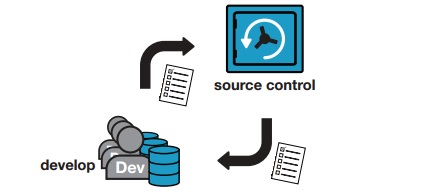
In a previous post we’ve seen how to share the SQL Prompt snippet folder to the development team. We’ve used dropbox for sharing and powershell to copy files between the default directory and the new place (changing also the related registry keys). In this post we’ll focus on how to share all the Red-Gate development tools using Team Foundation Server or Team Foundation Service for team sharing (TFService and TFS Express are two free solution).
Keep in mind that we’re talking about third party tools, plugged in to SQL Server Management Studio. We will speak about:
We’ll use Team Foundation Service as a Source Control Manager Continue reading “How to share redgate database tools settings with Team Foundation Service”
 Alessandro Alpi's Blog