
Some days ago, I received a tedious error while executing a pipeline of nested stored procedures, which contains INSERT-EXEC statements. The issue is based on a SQL Server limitation, by design since SQL Server 2005. Actually, the INSERT-EXEC was supported in SQL Server 2000, but I’ve never tried that behavior on the older version. Let’s see the behavior. Continue reading “Avoid nested INSERT EXEC (where possible)”
Tag: SQLServer
SQL Server latest Cumulative updates (sep. 2013)
Directly from the Microsoft Release Service blog, here is the list of latest updates for SQL Server 2008 SP3 and 2012 SP1:
SQL Server 2008 SP3
Cumulative Update #13 for SQL Server 2008 SP3
SQL Server 2012 SP1
Cumulative Update #6 for SQL Server 2012 SP1
Stay Tuned! 🙂
How to mark SQL Server objects as deprecated with extended properties
I want to share a “trick” on how to mark SQL Server user objects as deprecated. But first, why we need to mark an object as deprecated?
- code refactors
- object schema refactors
- mandatory backward compatibility in a multi customer scenario
We can use extended properties. They are a set of name/value properties in which you can specify custom value, with your own naming convention. Every SQL Server object can be, let’s say, extended using those properties. There are also three stored procedures which you can use in order to manage extended properties:
- sp_addextendedproperty – adds an extended property
- sp_dropextendedproperty – deletes an extended property
- sp_updateextendedproperty – updates an extended property
Continue reading “How to mark SQL Server objects as deprecated with extended properties”
SSMS Boost another cool addin for SQL Server Management Studio

During my SQL Devlife I tried lots of SQL Server management studio add-ins. Some days ago I tried SSMSBoost. Since I’ve already spoken about SSMSToolsPack and SQLPrompt, I’d like to focus this post on the capabilities that SSMSBoost adds to Sql Server Management Studio. I’ll speak about some of the available features, in the following order:
- UI/User experience capabilities
- Connections management
- Searches
- Extended menu options
- Grid commands
Continue reading “SSMS Boost another cool addin for SQL Server Management Studio”
How to share redgate database tools settings with Team Foundation Service
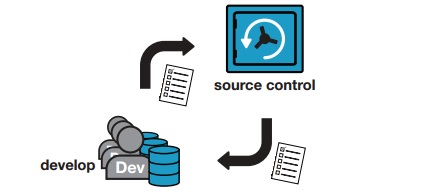
In a previous post we’ve seen how to share the SQL Prompt snippet folder to the development team. We’ve used dropbox for sharing and powershell to copy files between the default directory and the new place (changing also the related registry keys). In this post we’ll focus on how to share all the Red-Gate development tools using Team Foundation Server or Team Foundation Service for team sharing (TFService and TFS Express are two free solution).
The requirements are:
– at least a folder, that will be shared to all team members
– the tools must support the customization of the configuration folders
– a script (powershell in the following samples) that can change the configuration folders
Keep in mind that we’re talking about third party tools, plugged in to SQL Server Management Studio. We will speak about:
- SQL Prompt snippets (we will change snippet folder)
- SQL Compare filter and project files (we will change filter and project file startup folder, .scp and .scpf files)
- SQL Data Compare project files (we will change project file startup folder, .sdc files)
We’ll use Team Foundation Service as a Source Control Manager Continue reading “How to share redgate database tools settings with Team Foundation Service”
Repeating rows based on a value in a different column
I’ve just replied to a question in dotnethell italian forum about the topic in the title. Actually it’s not the first time I got this kind of question:
“How can I repeat a row using a value that is stored in another column of the same table?”
Ok, let’s describe a solution step by step.
SQL Server latest Cumulative updates (jun. 2013)
Directly from the Microsoft Release Service blog, here is the list of latest updates for SQL Server 2008 R2 and 2012:
SQL Server 2008 R2
SQL Server 2012
Stay Tuned! 🙂
Share t-sql snippets to the team with SQL Prompt
Red-Gate SQL Prompt is a plugin for SQL Server Management Studio that makes the developers life easier when writing t-sql. It provides improved intellisense, indent and coding styles, and also a snippet manager feature that allows the developer to create a set of useful shortcuts. Those autocomplete items can be really useful for a team, let’s see how we can share them in a team.
Continue reading “Share t-sql snippets to the team with SQL Prompt”
SQL Server latest Cumulative Updates (may 2013)
Directly from SQL release service blog, here is the list of latest updates for SQL Server 2008 SP3 and 2012 SP1
Stay Tuned! 
SQL Server Feature Limitations (Windows Azure SQL Database)
I’ve just received a question about features comparison between SQL Server and SQL Azure Database. This is one of the most frequently asked questions I receive in my blog PMs and forums.. Thus, I’m sharing the links in order to gather some information about this topic.
and
Another good start can be this link.
Stay Tuned! 🙂
 Alessandro Alpi's Blog