Backup Windows Azure SQL Database with Sql Server Management Studio

Recently I had to create a backup procedure on my Windows Azure SQL Database.  SQL Server Management Studio allows us to access to our SQL Databases and provides the user interfaces for creating backup files.

In this post we will understand:

  •  how to create a Azure SQL Database copy
  •  how to save a logical file backup on the cloud storage
  •  how to restore the logical file on a new Azure SQL Database

Since the database copy can be considered as a full backup, we want to create also a file in order to place it on another place, that could be a local or a cloud storage.

Continue reading “Backup Windows Azure SQL Database with Sql Server Management Studio”
Differences between SSMS and ado.net: query execution time

Sometimes, in the forums I’m following, I face some questions about different execution times between Sql Server Management Studio and ado.net executions.

Questions like “Why my SSMS queries run so fast and my ado.net queries are so slow?”. This is a scaring behavior that you can verify lots of times. Some application’s logs tell to us a too large timing. When you copy/paste the SQLCommand into a new query window using SSMS (also on the incriminated server) the execution time is very short.

Continue reading “Differences between SSMS and ado.net: query execution time”

Windows Azure Service Bus Topics, the first encounter

Service Bus is the infrastructure provided by Windows Azure for implementing messaging patterns. Click here for further information about messaging management on Windows Azure.

I’m currently thinking about a “notification server” using the cloud and Service Bus seems to fit my requirements. This article describes “Queues, Topics and Subscriptions” concepts:

These “brokered” messaging capabilities can be thought of as asynchronous, or decoupled messaging features that support publish-subscribe, temporal decoupling, and load balancing scenarios using the Service Bus messaging fabric. Decoupled communication has many advantages; for example, clients and servers can connect as needed and perform their operations in an asynchronous fashion.

Yes, it’s what I need.. let’s start to develop a test project, in order to understand also the development time (I’m a dba, but please appreciate my efforts 🙂 )

Continue reading “Windows Azure Service Bus Topics, the first encounter”

SQL Server Logical Query Processing summary

Usually I found some questions on the forums about that topic. For instance:

  1. “WHERE or HAVING?”
  2. “Is the ON clause more efficient than the WHERE clause?”
  3. “Why the field aliases cannot be used with the GROUP BY clause?”
These three questions are syntax oriented. Actually there are a lot of requests about subqueries, temporary objects, sort operations and so on. This kind of questions can be replied reading this logical process document (pdf). I love it and I share it everywhere, also when training in classes/on the job.
It is a LOGICAL workflow used by the Query Processor in order to generate the related PHYSICAL process for retrieving data.

Last Updates for SQL Server family

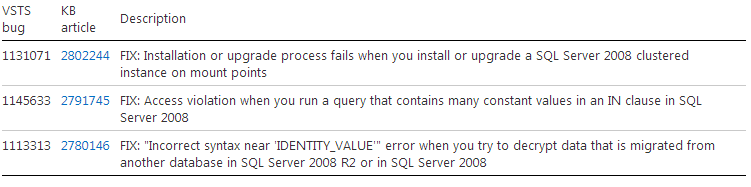
Just before the end of the 2012 the Microsoft SQL Server Sustained Engineering team released the following updates:

Cumulative Update #10 for SQL Server 2008 R2 Service Pack 1

Cumulative Update #4 for SQL Server 2008 R2 Service Pack 2

Cumulative update #5 for SQL Server 2012

Source: SQL Release Services Blog


This is a very short post and maybe not the right one to start with.. however, welcome to my new english blog!

If you want to watch my italian version, feel free to browse it 😉

I use to say..

Stay Tuned! 🙂